Understand today
Read regime, risk, confidence, and model health.
One research workspace for current conditions, historical analogs, forward outlooks, and the permanent record behind every recommendation.
Controlled accessRead regime, risk, confidence, and model health.
See which prior conditions resemble the present—and where they differ.
Return to signed recommendations after outcomes mature.
Current product tutorial. Captions are provided by the guided steps below.
Start with today, compare history, inspect the outlook, then revisit what actually happened.
What you’re seeing: Open the current state, regime, and risk posture.
Why it matters: Begin with context before a forecast.
What you’re seeing: Open the current state, regime, and risk posture.
Why it matters: Begin with context before a forecast.
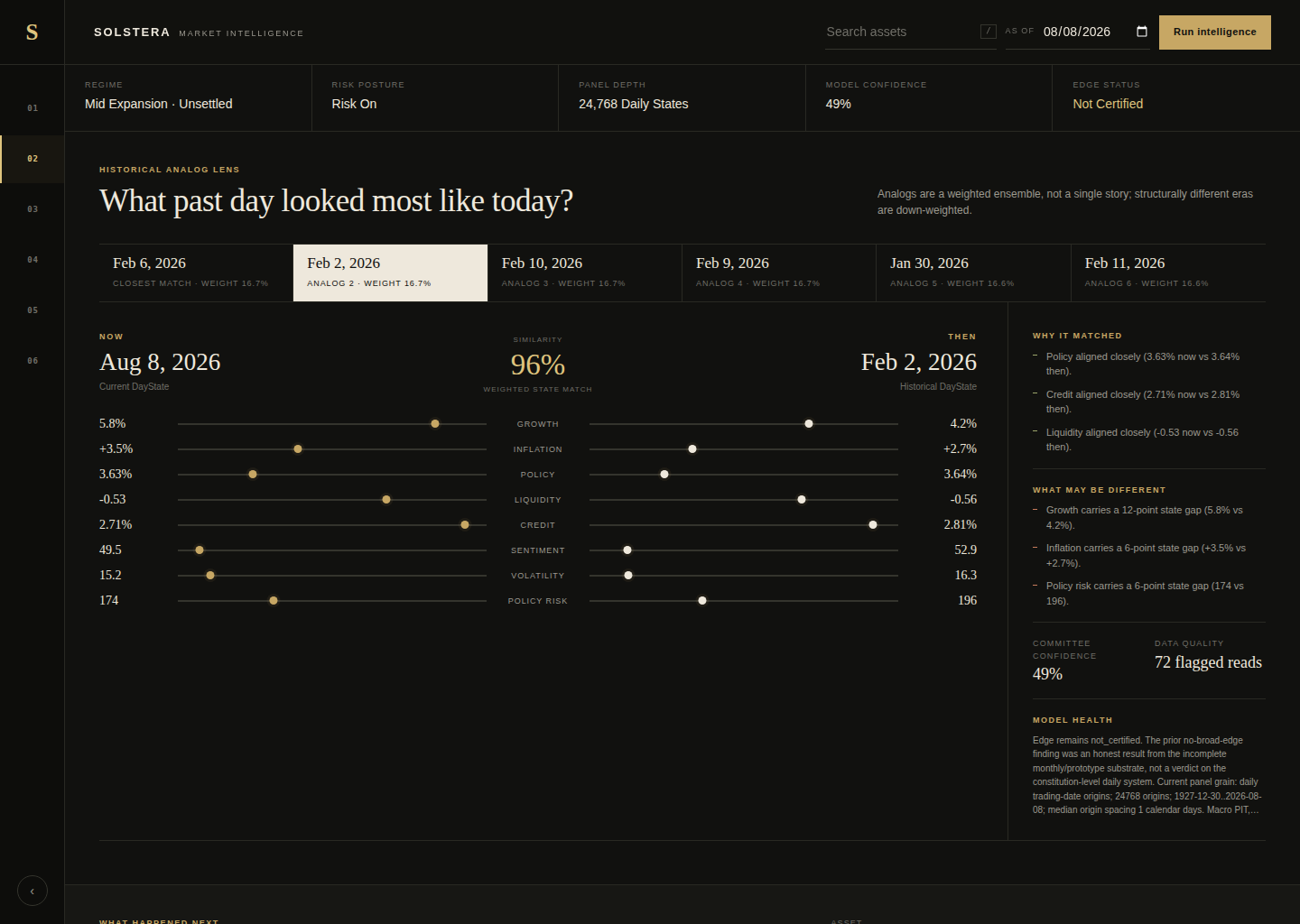
What you’re seeing: Compare NOW and THEN fingerprints and later outcomes.
Why it matters: Similarities and differences remain visible.
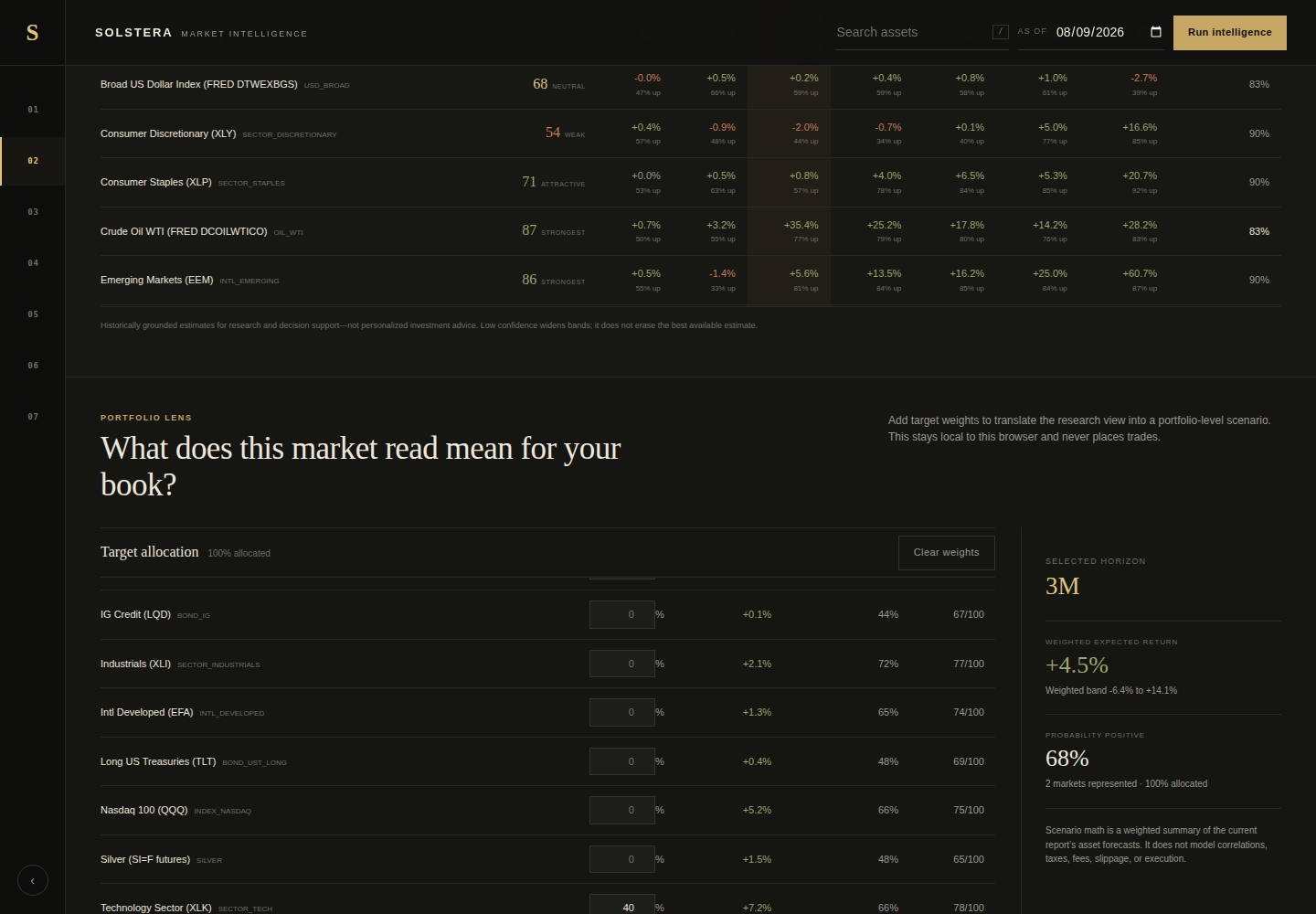
What you’re seeing: Review return estimates, bands, and probability positive.
Why it matters: Uncertainty stays attached to every horizon.
What you’re seeing: Enter target weights in the browser-local Portfolio Lens.
Why it matters: Explore a weighted view without implying execution or advice.
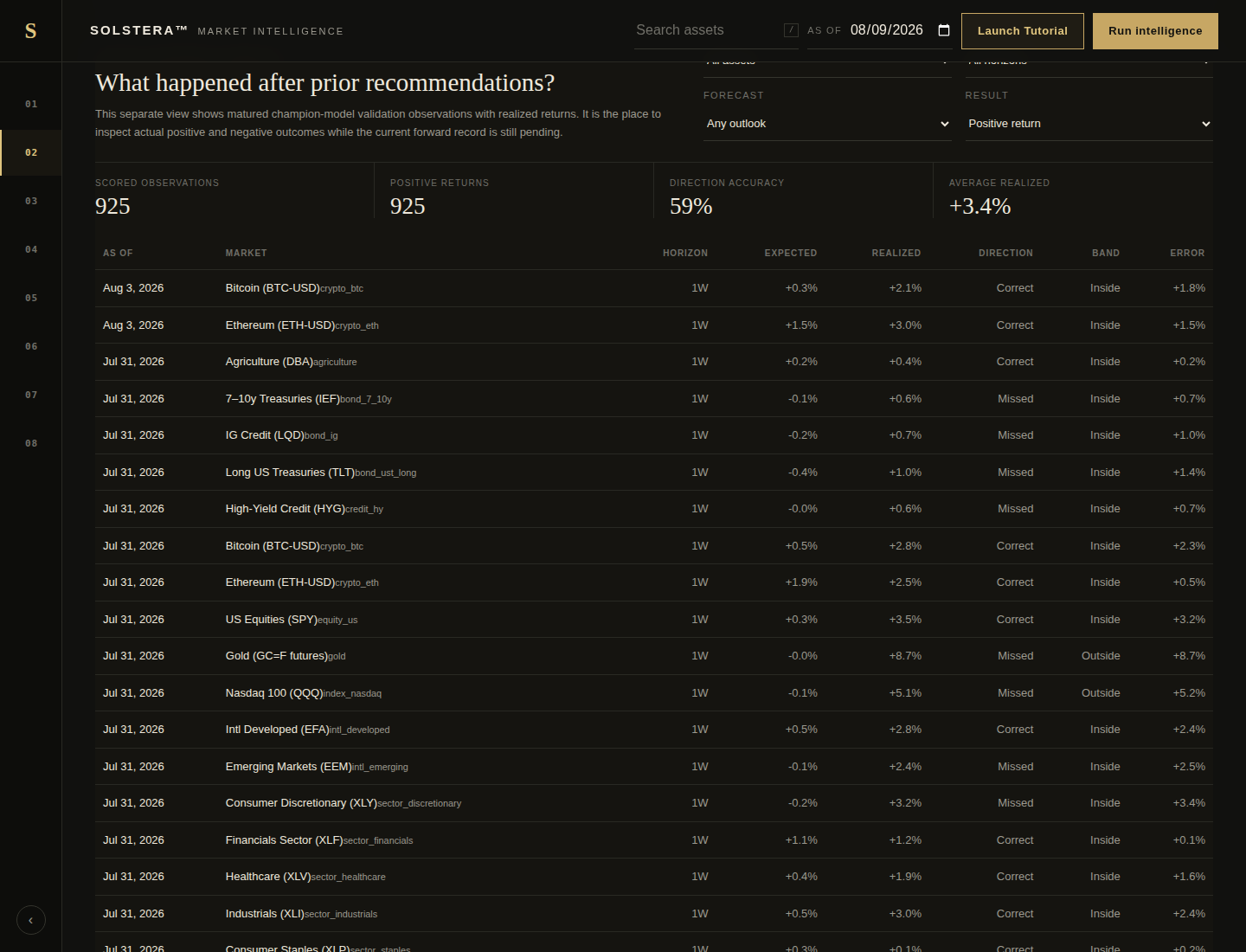
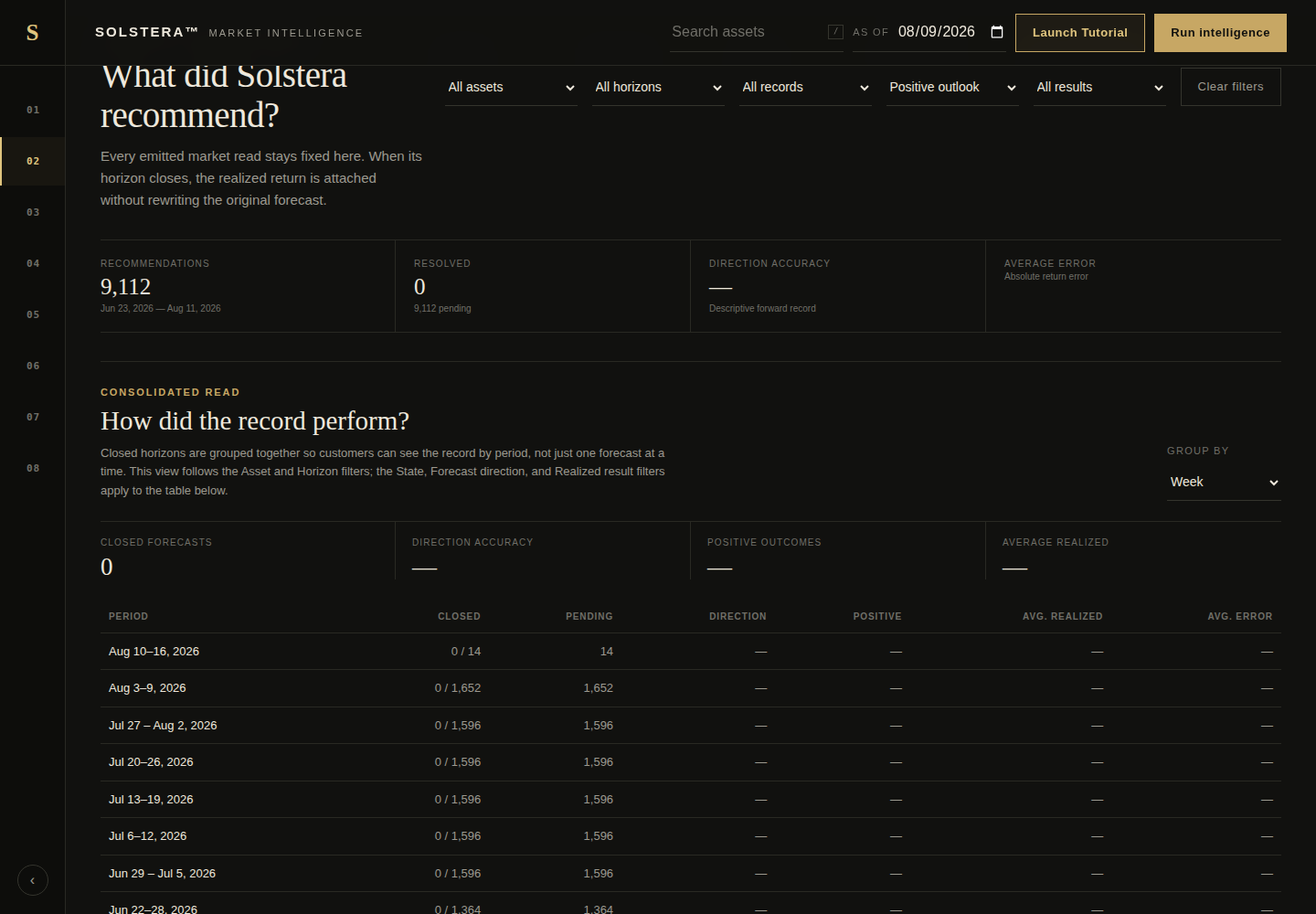
What you’re seeing: Revisit recommendations in the ledger after outcomes mature.
Why it matters: The record is evaluated without rewriting history.
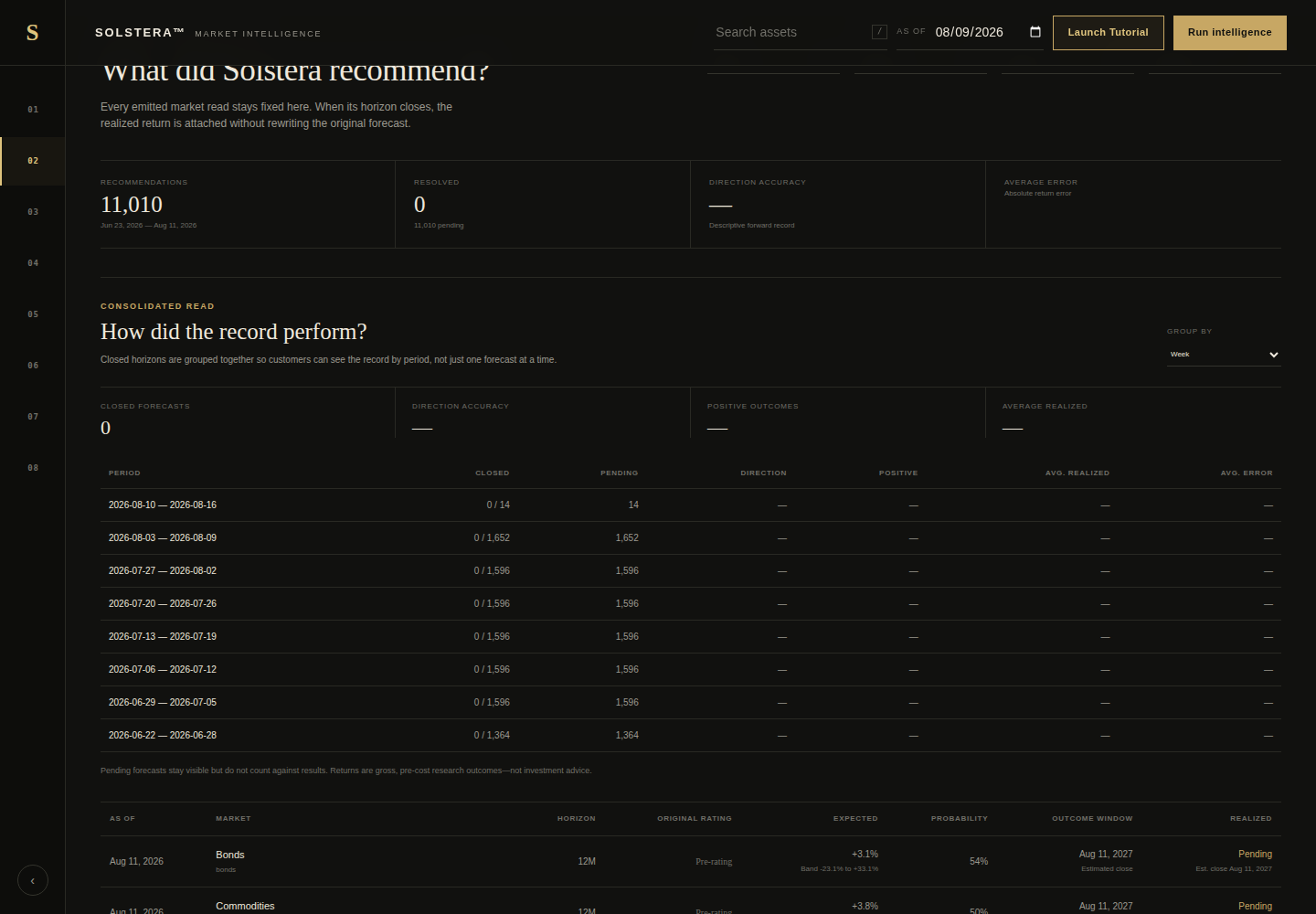
Real current or clearly labeled release-candidate states, using synthetic data.
Market, macro, world-state, analogs, and outlooks stay connected.
Probability, bands, confidence, and edge status remain distinct.
Recommendations and later outcomes stay reviewable.
Signed read-only APIs, SDKs, webhooks, and MCP sit below the research experience.
Controlled developer access includes tenant-scoped read-only APIs, signed response envelopes, TypeScript and Python SDKs, webhooks, and scope-filtered MCP tools.
Research Copilot explains the selected persisted report and its evidence.
Analogs, outlooks, ratings, and uncertainty.
Research only. Predictive edge is not_certified; no personalized investment advice or trade execution.
Operational data is tenant-scoped. API credentials are environment-separated, scoped, expirable, revocable, rate-limited, and retained only as hashes; signed response envelopes support integrity checks.
Historical analogs are explanatory context, not causal proof. Forecasts are probability-based estimates, edge status is currently not_certified, and the product does not place trades or connect to a brokerage.
Current behavior and boundaries.
No. It is research and decision support, not personalized investment, tax, legal, or accounting advice.
The product has not established a certified predictive edge. Estimates are presented with uncertainty and an auditable record instead of a performance guarantee.
No. It can explain the selected signed report, but cannot create or alter its numeric forecasts.
Yes, controlled access includes scoped read-only APIs, signed responses, SDKs, webhooks, and scope-filtered MCP tools.